
Bank account
The one that always works
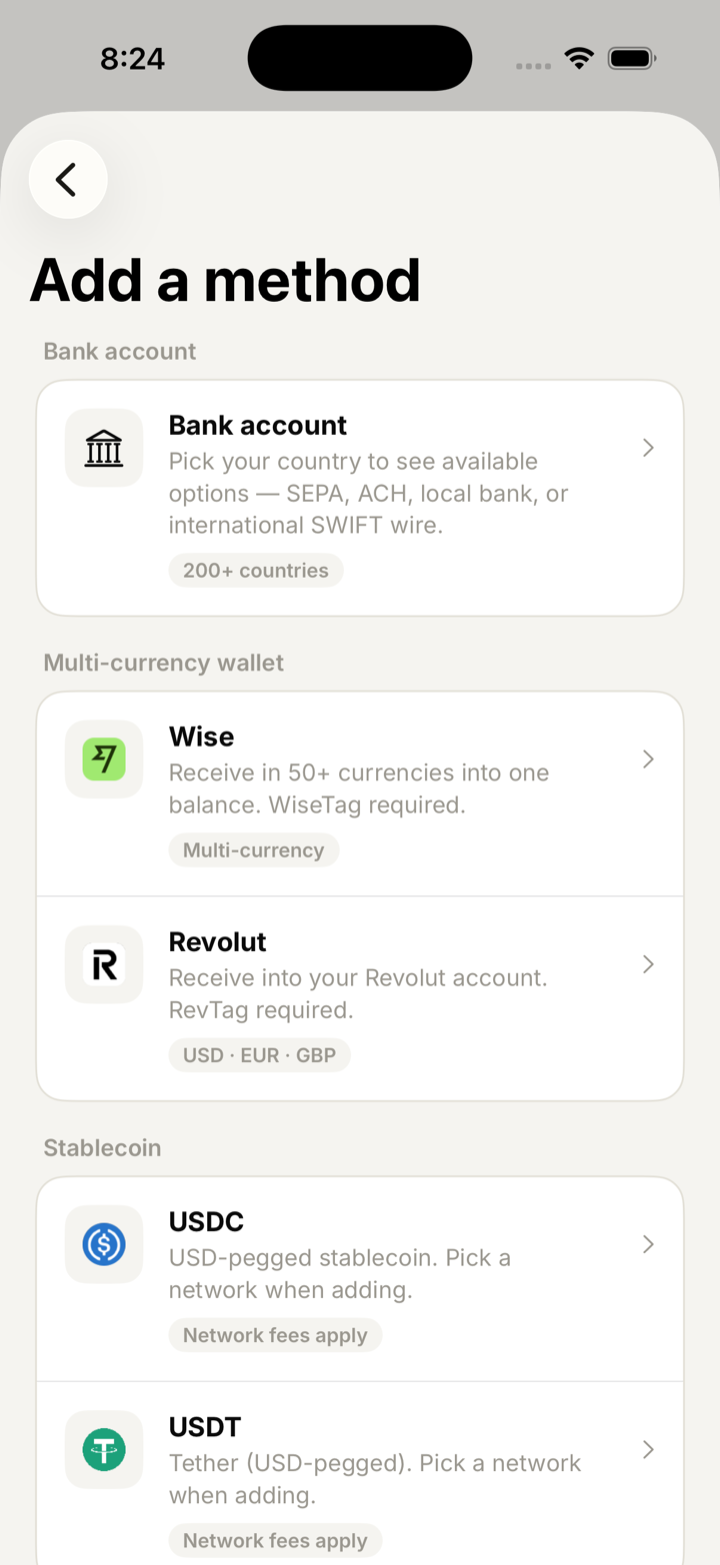
Choose your country and the app shows only the rails that actually exist there. SEPA across the euro area, ACH and domestic wire in the US, local bank transfer, and international SWIFT everywhere else.
Remote Talent / Payouts
Payouts
Your client pays by card, bank transfer or USDC. You get paid to a bank account, Wise, Revolut, or USDC/USDT in your crypto wallet — picked per invoice and changed whenever you move.
Three lanes
Each invoice carries its own payout destination, so a euro invoice can settle to a SEPA account while a dollar invoice goes to a stablecoin wallet. Change it whenever you move country.
Bank account
Choose your country and the app shows only the rails that actually exist there. SEPA across the euro area, ACH and domestic wire in the US, local bank transfer, and international SWIFT everywhere else.
Wise & Revolut
Wise and Revolut payouts go to your WiseTag or RevTag rather than an IBAN — so changing country does not mean re-entering bank details.
Stablecoin
USDC and USDT payouts to your crypto wallet, on the network you already use — a custodial account or a wallet you hold the keys to. Dollar-denominated, with no US bank account needed.
How the money moves
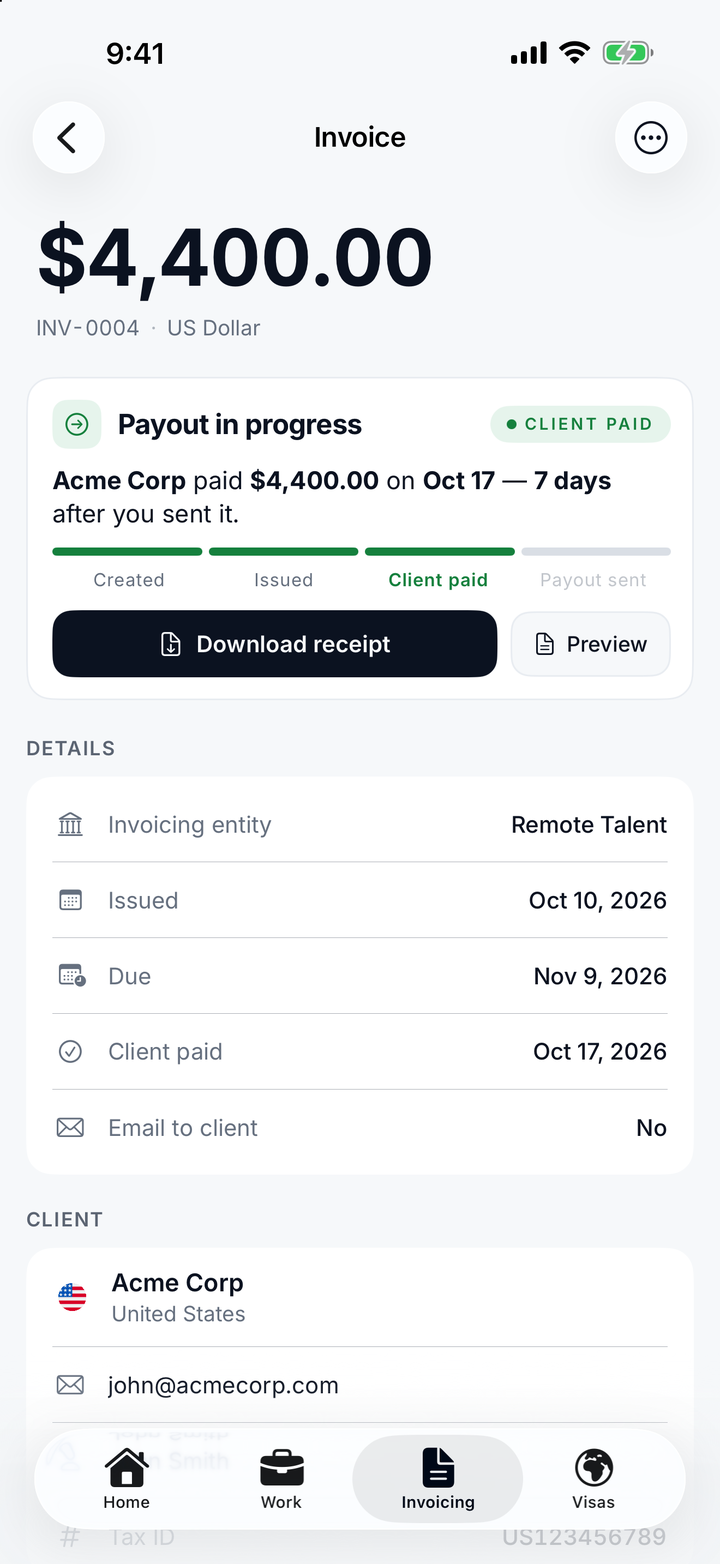
Each stage updates in the app the moment it changes. Payouts are sent by Remote Talent once your client's payment is confirmed.
You slide to send with a payout method attached. Your client gets the invoice and a secure payment link by email.
By bank transfer, card or USDC on pay.remotetalent.io, after accepting the payment terms.
The payment is confirmed, the invoice moves to Client paid, and the flat 50 fee is deducted.
Remote Talent sends your payout to the method on that invoice and records the date, with a transfer receipt.
Your client's side
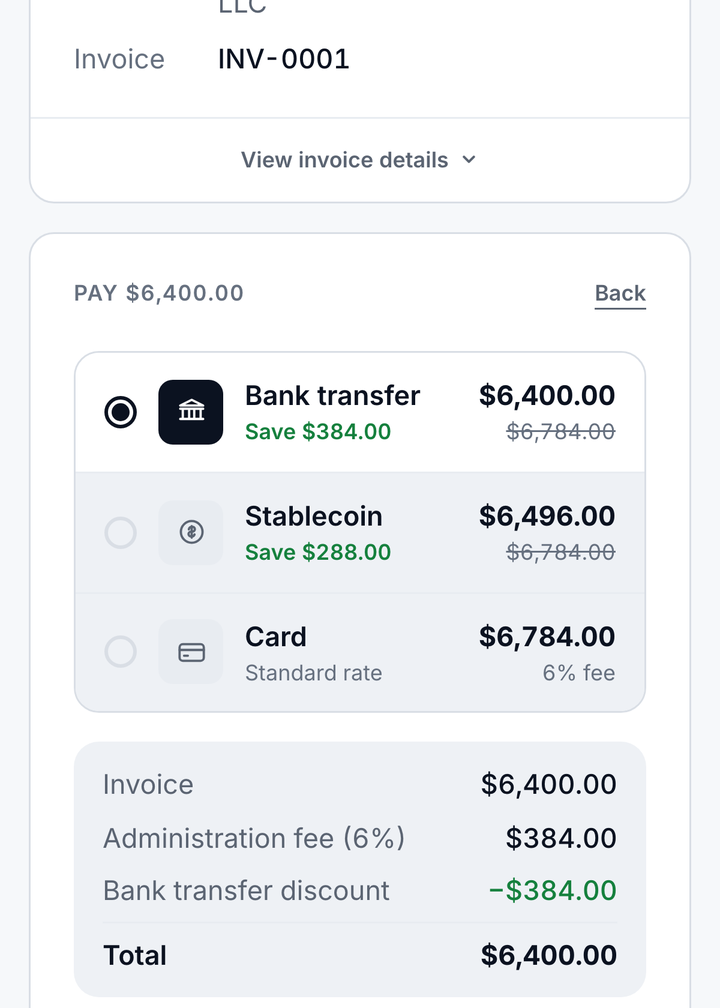
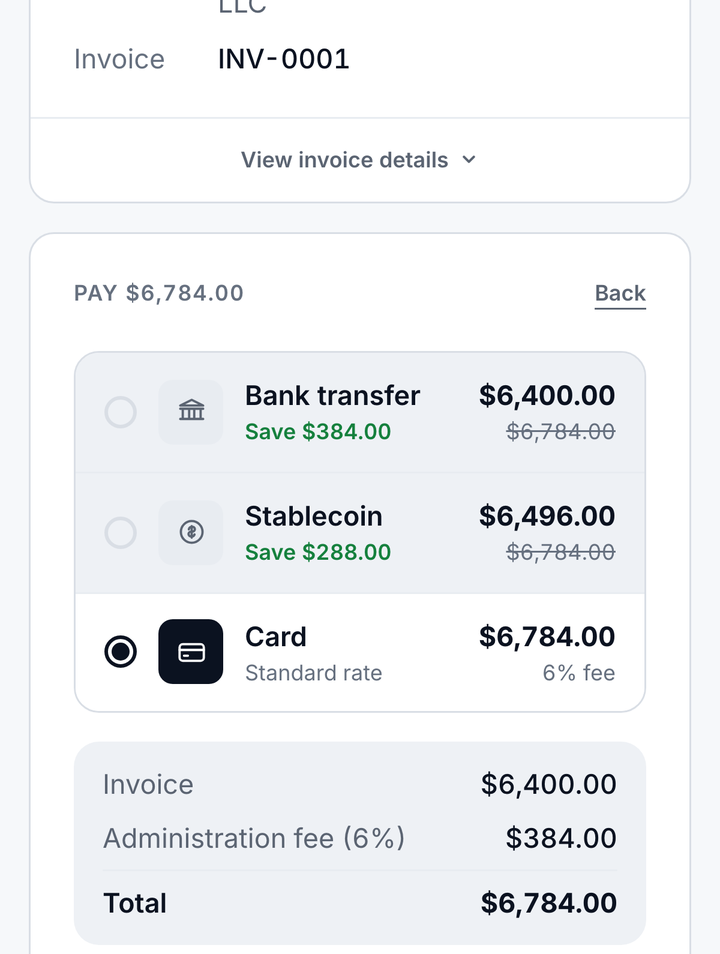
The invoice email carries a secure payment link. Your client opens it on pay.remotetalent.io, accepts the payment terms and picks a method — no account, no app. You choose which methods each invoice accepts.
| Method | Administration fee (paid by your client) | Available on |
|---|---|---|
| Bank transfer | None | Invoices you enable it on |
| Card | 6%, added on top of the invoice | EUR, USD and GBP invoices — processed by Stripe |
| USDC | 1.5%, added on top of the invoice | USD invoices up to $10,000 |
Stablecoin detail
Crypto payouts are only useful if they are precise. You pick the chain when you add the wallet, name it something you will recognise, and the app confirms both before anything is saved.
| Supported | |
|---|---|
| Stablecoins | USDC · USDT — both USD-pegged |
| Networks | Ethereum (ERC-20) · Polygon · Arbitrum · Optimism · Base |
| Exchanges | Coinbase · Binance · Kraken · Bybit · OKX · Bitstamp · Gemini · Crypto.com |
| Self-custody | MetaMask · Trust Wallet · Phantom · Rainbow · Ledger · Trezor |
| Network fees | Paid from the transfer — shown before you confirm |
| Reversibility | None. On-chain transfers are final, and the app says so before you save. |
"USDC on Base" — never just "USDC". Sending to the wrong network is the single most common way people lose stablecoin transfers.
Wallets show as "Coinbase wallet" or whatever you called them, so picking a payout destination is not a matter of reading hex strings.
Before a wallet is saved the app states plainly that transfers are irreversible and that the wrong network loses the funds.
Keep reading
No company needed. Clients pay by card, bank transfer or crypto, and you get paid your way — for one flat fee per paid invoice.